SERVESPEED GUIDES
How to film a tennis serve for video analysis
A useful recording shows what happened before contact, at contact and during the flight. Start with one test serve and review it before recording a whole practice session. The aim is usable evidence, not a dramatic close-up or a guaranteed speed reading.
Make a short test recording first
Set the phone in landscape on a tripod or stable support, outside the playing area and clear of players’ movement. Keep it fixed throughout the serve. Wipe the lens and inspect the preview: a fingerprint, fence or support in front of the camera can hide useful detail.
- Record one serve without panning or zooming.
- Watch it at normal speed, then pause around contact to check visibility.
- Adjust the position if the ball leaves the frame or disappears behind the player.
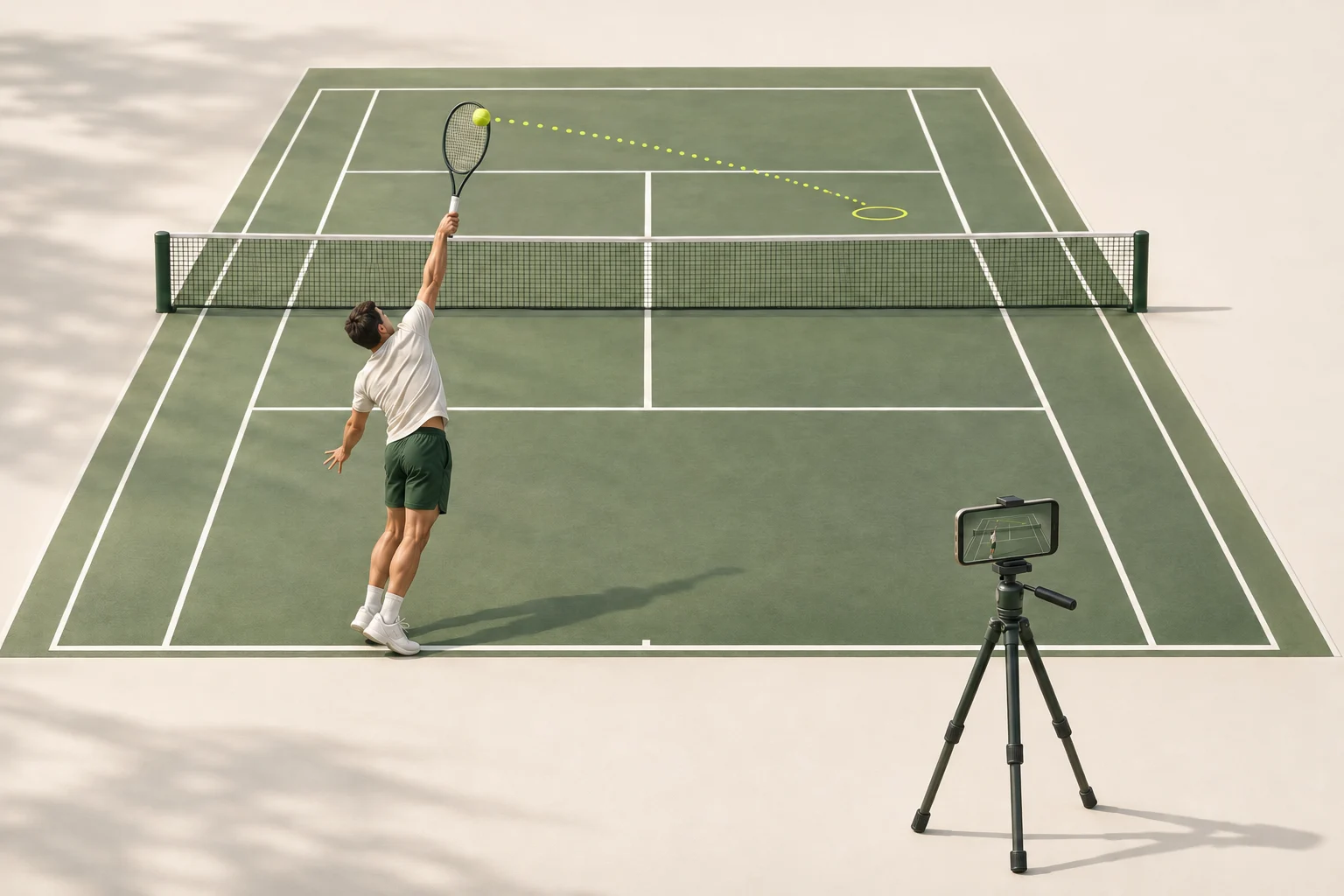
Use a rear view to include the court
A position behind the baseline and slightly to one side can show the player, contact area and opposite service box together. Move far enough back to include the toss without cutting off the landing area. Check the actual recording rather than assuming the preview covers the whole flight. A rear view is a starting point, not a guarantee of an estimable speed.
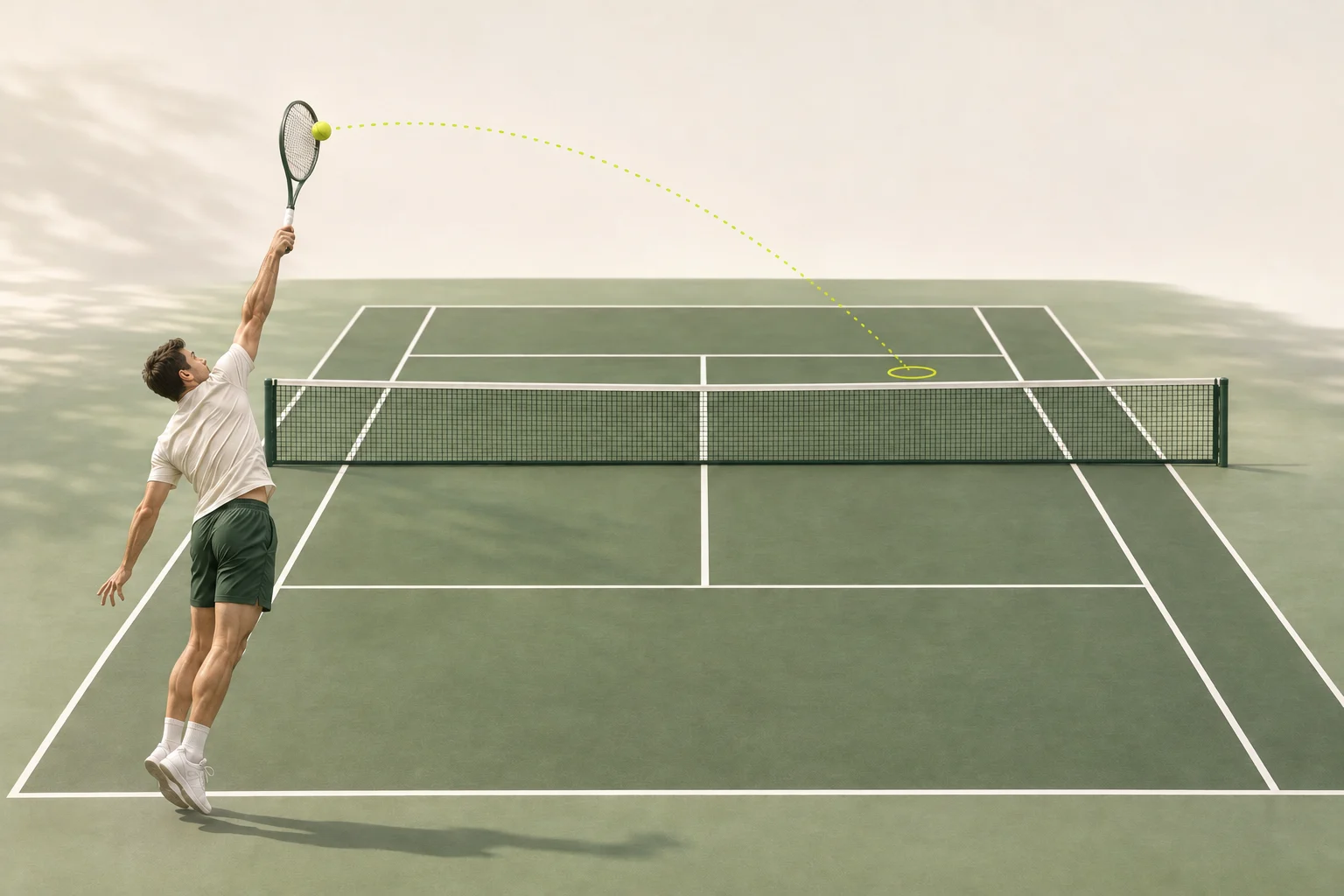
Know what a side view leaves out
A side view can make the toss and contact easier to inspect, but a tight profile of the player may lose the ball almost immediately after impact. If you choose this angle, review how much of the flight remains visible. Do not assume a clear view of the action also supplies enough information for a speed estimate.

Leave room for the toss and ball flight
Keep the full player, racket contact and ball flight in view, with the bounce visible when possible. Leave recognizable court lines in the picture for spatial context. A wider frame can preserve these details, but check that the ball is still distinguishable. Neither a distant wide shot nor a tight crop is automatically useful.
Separate capture frame rate from playback speed
Frame rate describes how many frames are recorded per second. Playback speed describes how quickly the action is shown. High-frame-rate capture does not necessarily mean slow-motion playback. Apple’s camera guide explains that a Slo-mo clip can contain sections played slowly and sections played normally.
For servespeed, keep the original recording and use a version that plays at normal, real-world speed. Do not submit a slowed export and assume its frame-rate label explains the timing. If the original timing is uncertain, make a new normal-speed recording rather than guessing a speed multiplier.
Higher frame rates are not a requirement for this checklist and do not guarantee clear frames. Sony’s video guidance distinguishes frame rate from shutter speed, which affects motion blur within each frame. Check the visible ball and lighting instead of judging the clip by its resolution or fps label alone.
Fix the recording before submitting it
Pause at several points across the serve, not just the best-looking frame. Use the checks below to decide whether to change the setup or trim the recording. Missing action cannot be recovered simply by exporting a larger file.
| What you see | What to change |
|---|---|
| Toss or racket contact is cut off | Leave more space above the player and record another serve. |
| The ball leaves the frame after contact | Reposition or widen the view to include more of the flight. |
| The ball blends into the background | Try a clearer background or better light, then review a test clip. |
| The whole frame moves | Secure the phone and avoid touching it during the serve. |
| Court lines are missing | Adjust the framing to retain useful court reference points. |
| The action plays unusually slowly | Return to the original normal-speed recording before preparing the upload. |
Prepare one upload-ready serve
servespeed accepts MP4, MOV and WebM clips up to 5 seconds and 50 MB. Trim waiting time while preserving the toss, contact and flight. Browser trimming is available before upload. Keep the original file separately, and avoid filters, screen recordings or repeated compression.
Review the final clip once more. Choosing a file does not upload it; upload begins after you agree and start analysis. A clear recording helps provide evidence, but it does not guarantee a speed figure or a particular level of accuracy.