Upload video
Choose a clip of one complete serve, up to 5 seconds.
Upload a serve video for a speed estimate and technique feedback.
MP4, MOV or WebM · Up to 5 seconds · 50 MB max
The video uploads only when you select Analyze.
Choose a clip of one complete serve, up to 5 seconds.
Submitted videos enter a queue. Check the status here.
View the estimated speed range and feedback.
Keep your phone fixed outside the court. Film in landscape.
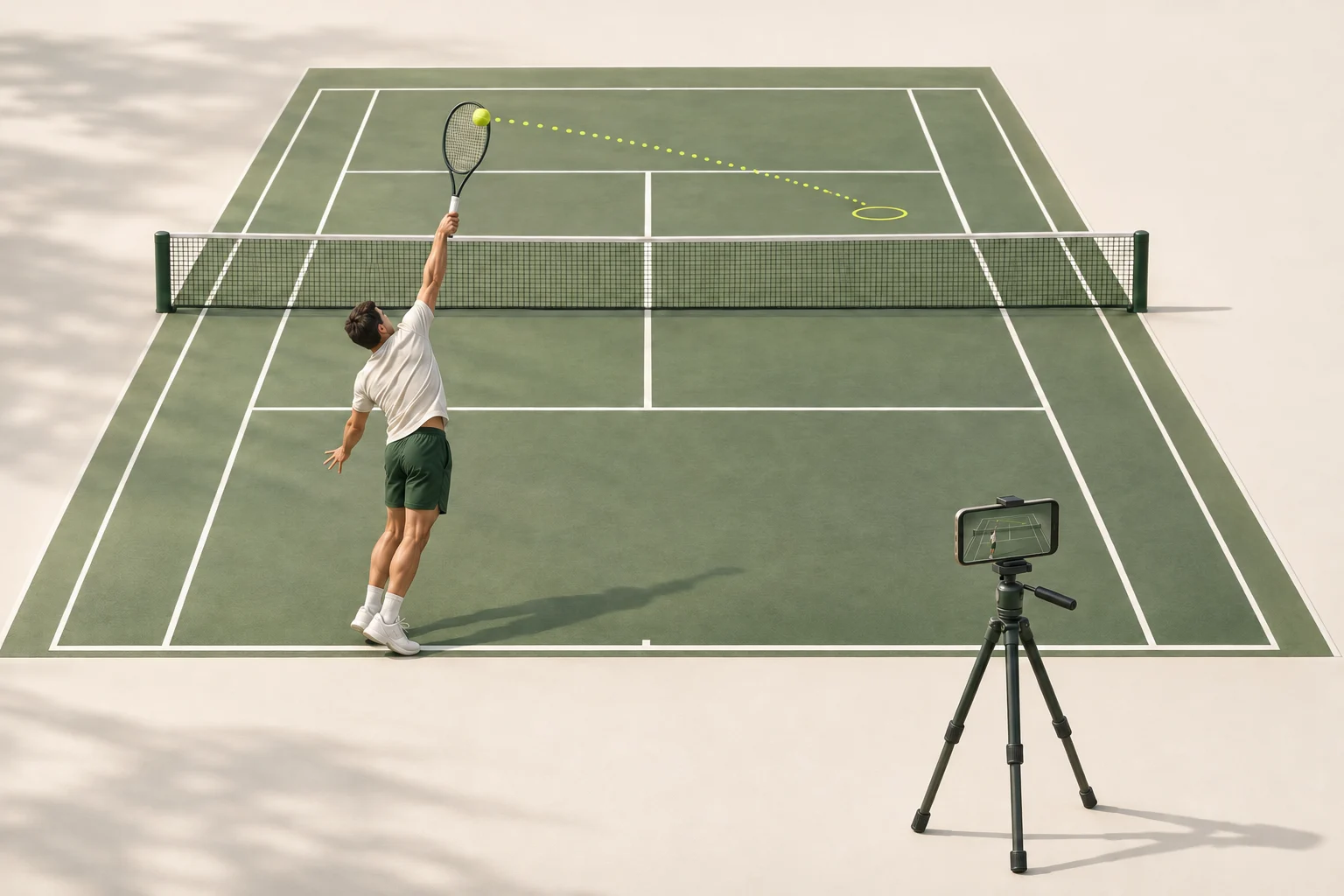
Film from behind the baseline, slightly to one side. Include the full player, contact point and opposite service box.

Useful for viewing the toss and contact. If only the player is visible, speed may be impossible to estimate.
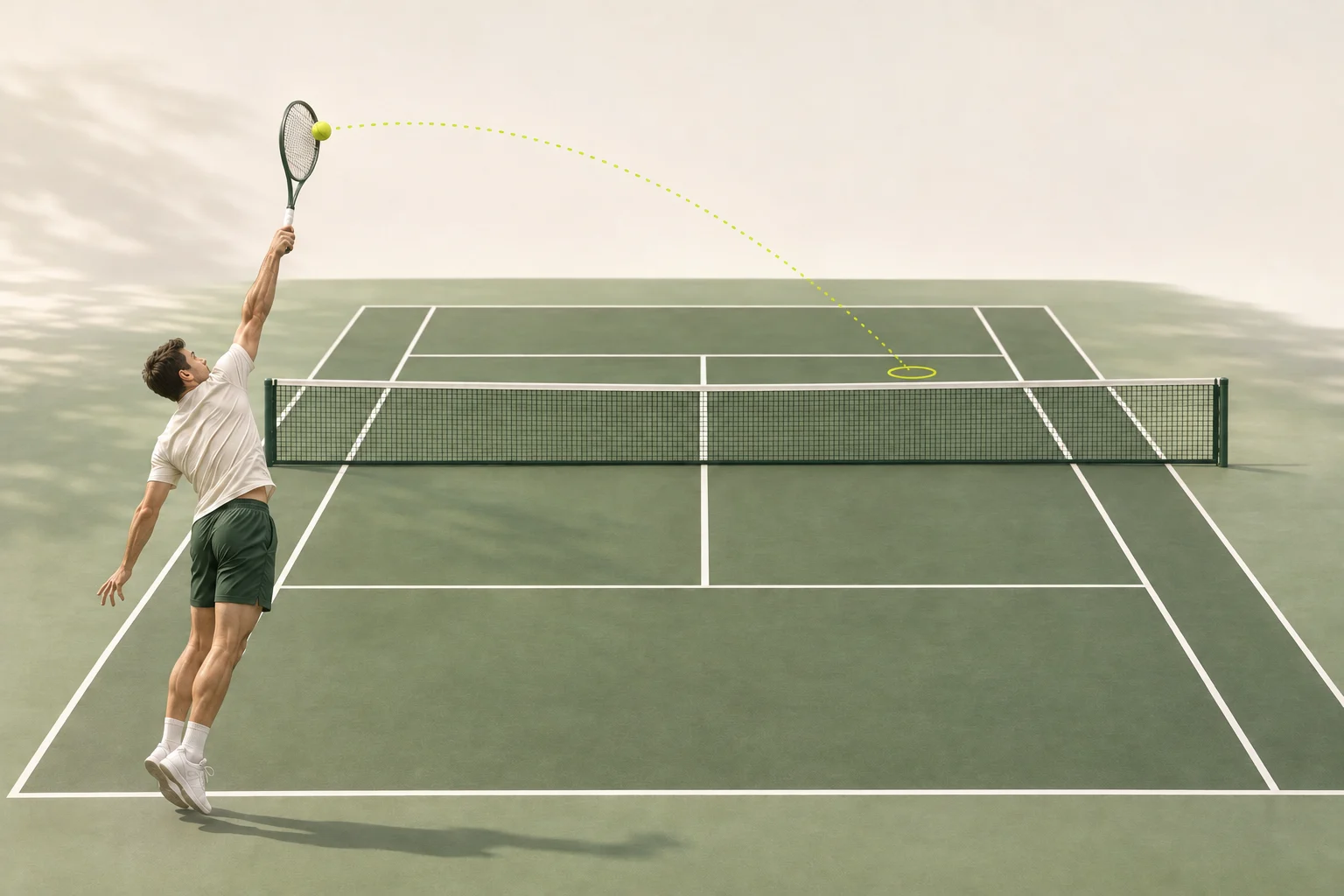
Include the full toss, contact and ball flight, and the bounce if possible. Avoid close-ups and keep the ball in frame.
These positions are illustrative and do not guarantee speed accuracy. Clear ball flight and court lines provide more usable information.
Use a short recording of your serve to get a video-based speed estimate and technique feedback. Keep the camera still and the ball flight and court lines visible so there is enough detail to assess.
This is a visual estimate, not a radar measurement. Camera angle, timing and ball visibility affect the result. A speed range is shown only when the video provides enough evidence; some clips cannot support a speed estimate.
Use an original-speed MP4, MOV or WebM clip, up to 5 seconds and 50 MB. Include the toss, contact and ball flight. You can trim the clip in your browser before uploading; avoid slow motion, filters and repeated compression.
Submitted videos enter a queue for analysis. Results are not immediate and there is no guaranteed turnaround time. You can return to your history to check the status and view the result.
Sign in with Google to use one free analysis per account and browser. After that, each analysis uses 10 credits from a one-time credit purchase. Purchases are not subscriptions.